

AI voice agents that sound like your best caller.
Inbound and outbound calls in 15 Indian languages — with live handover to your team when it matters.
Three things it does well.
- 1
Pick a template
Inbound queries, lead verification, outbound sales, support or reminders.
- 2
Set the voice
A voice per language, speaking speed and a pronunciation list for names and places.
- 3
Test from the browser
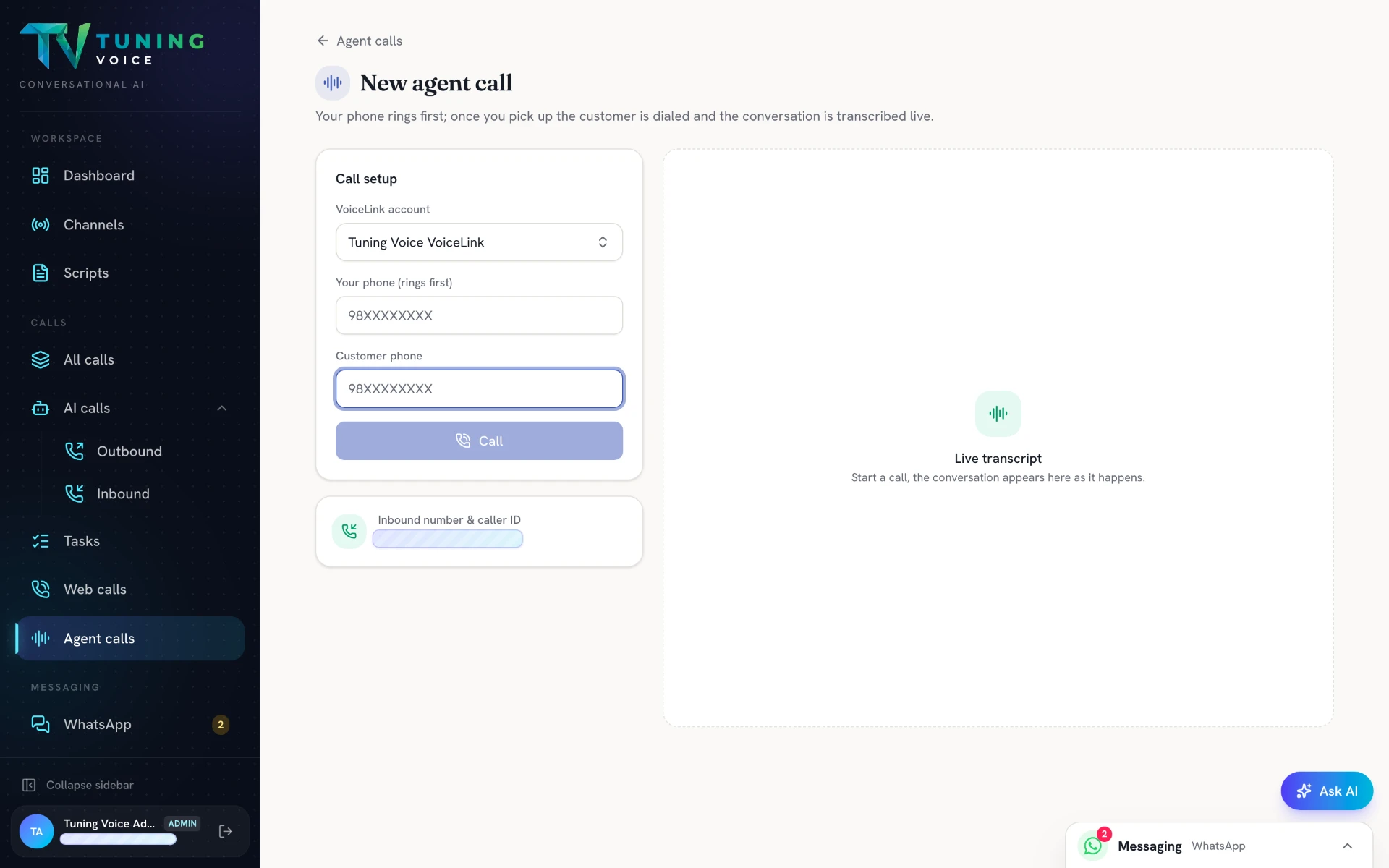
Place test calls before anything goes to a customer.
- 4
Run campaigns
Call a list, then call back unconnected numbers in one click.
Watch it. Hear it.
Sample call 1
Real AI voice bot call · 1:15
Sample call 2
Real AI voice bot call · 1:31
Sample call 3
Real AI voice bot call · 1:26
Sample call 4
Real AI voice bot call · 2:00
Real product screens.
One screen at a time — scroll on desktop, swipe on your phone.
- 01
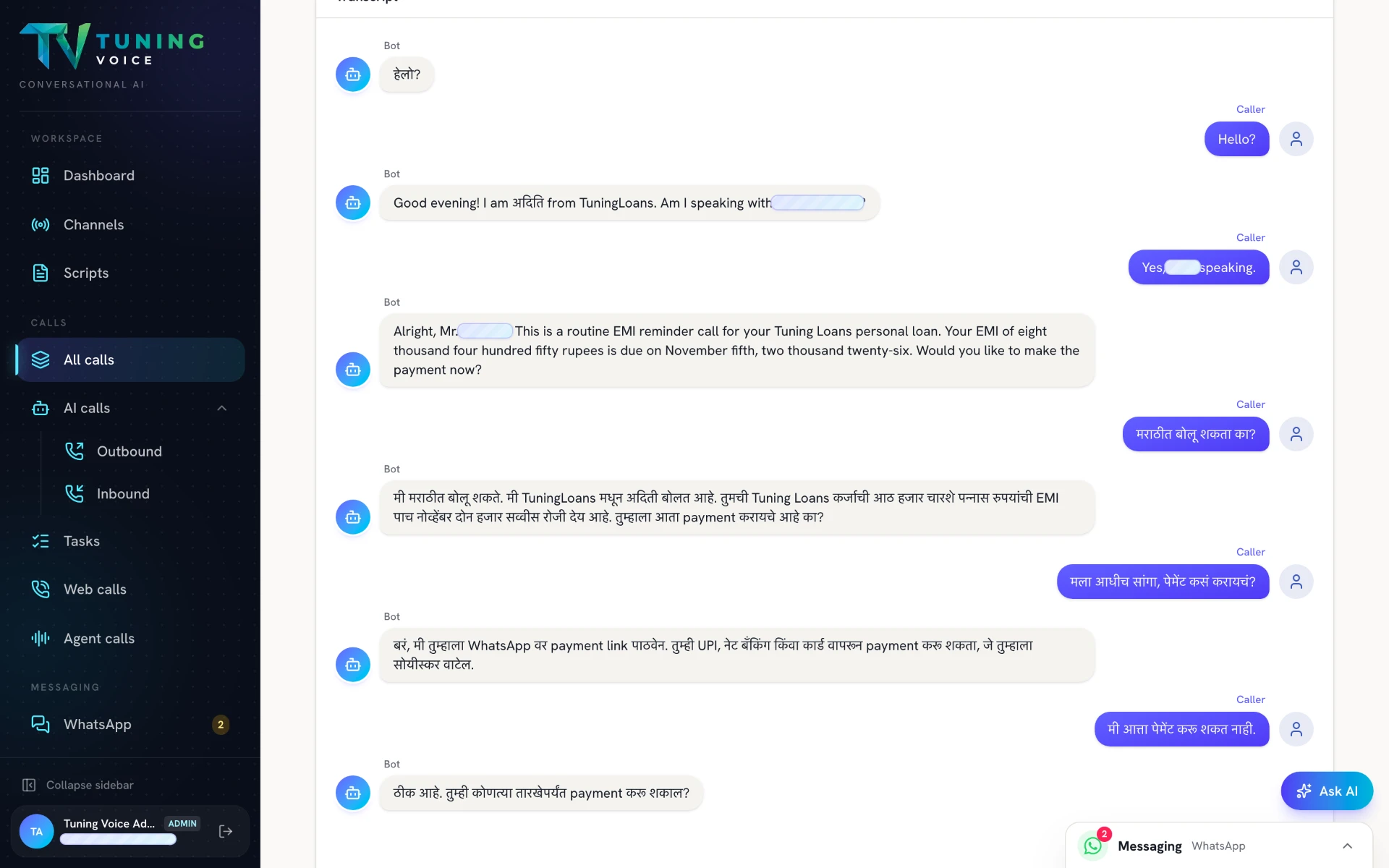
A conversation that switches languages
An English-to-Marathi conversation, captured in the call transcript.
- 02
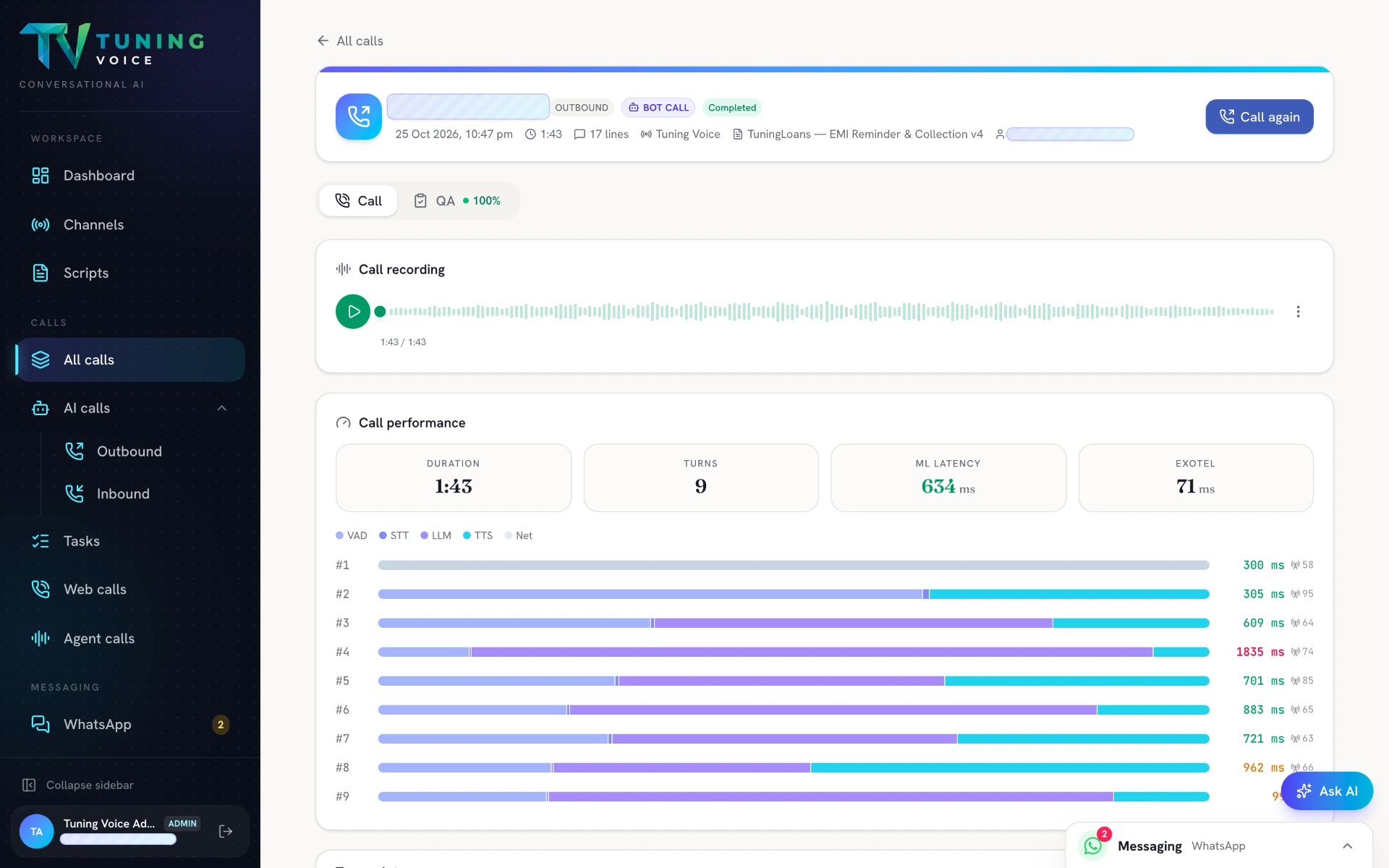
Recording and call performance
Replay a call and review its duration, turns and response latency together.
- 03
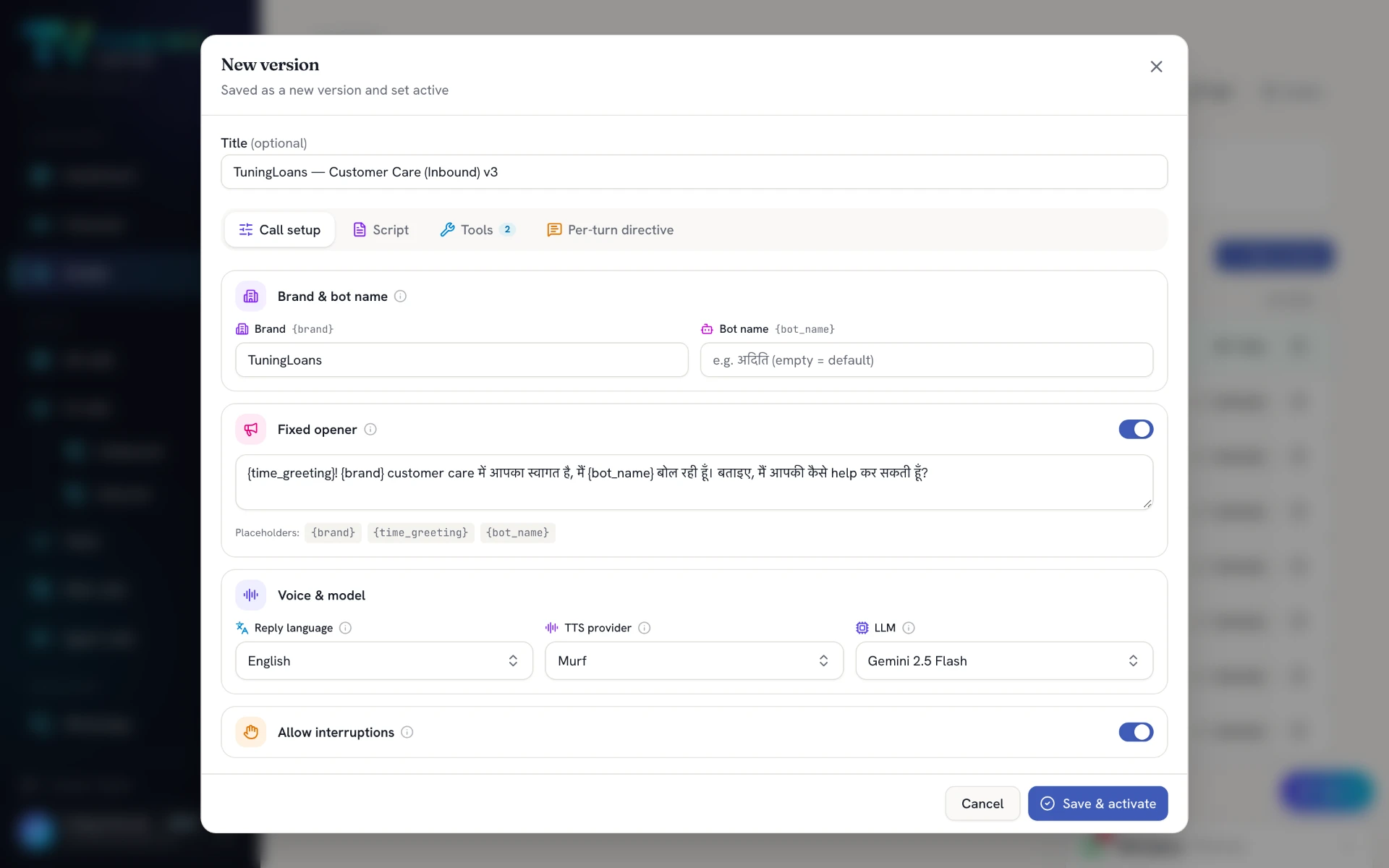
Set the voice and call behaviour
Configure the brand, opening line, reply language, voice provider, AI model and interruptions.
- 04
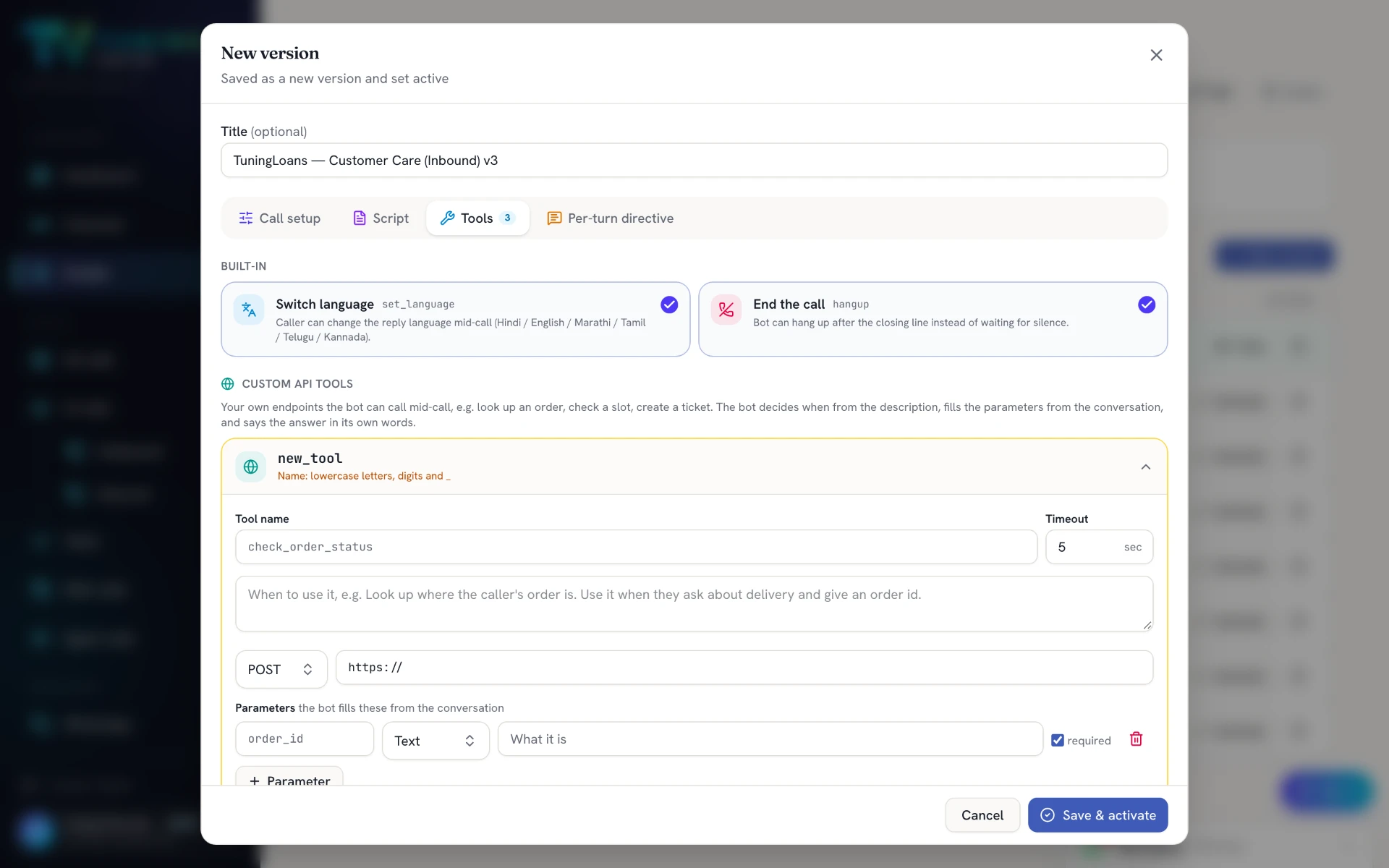
Give the bot tools to take action
Connect custom APIs for tasks such as order lookups and ticket creation, alongside built-in language switching and call controls.
- 05
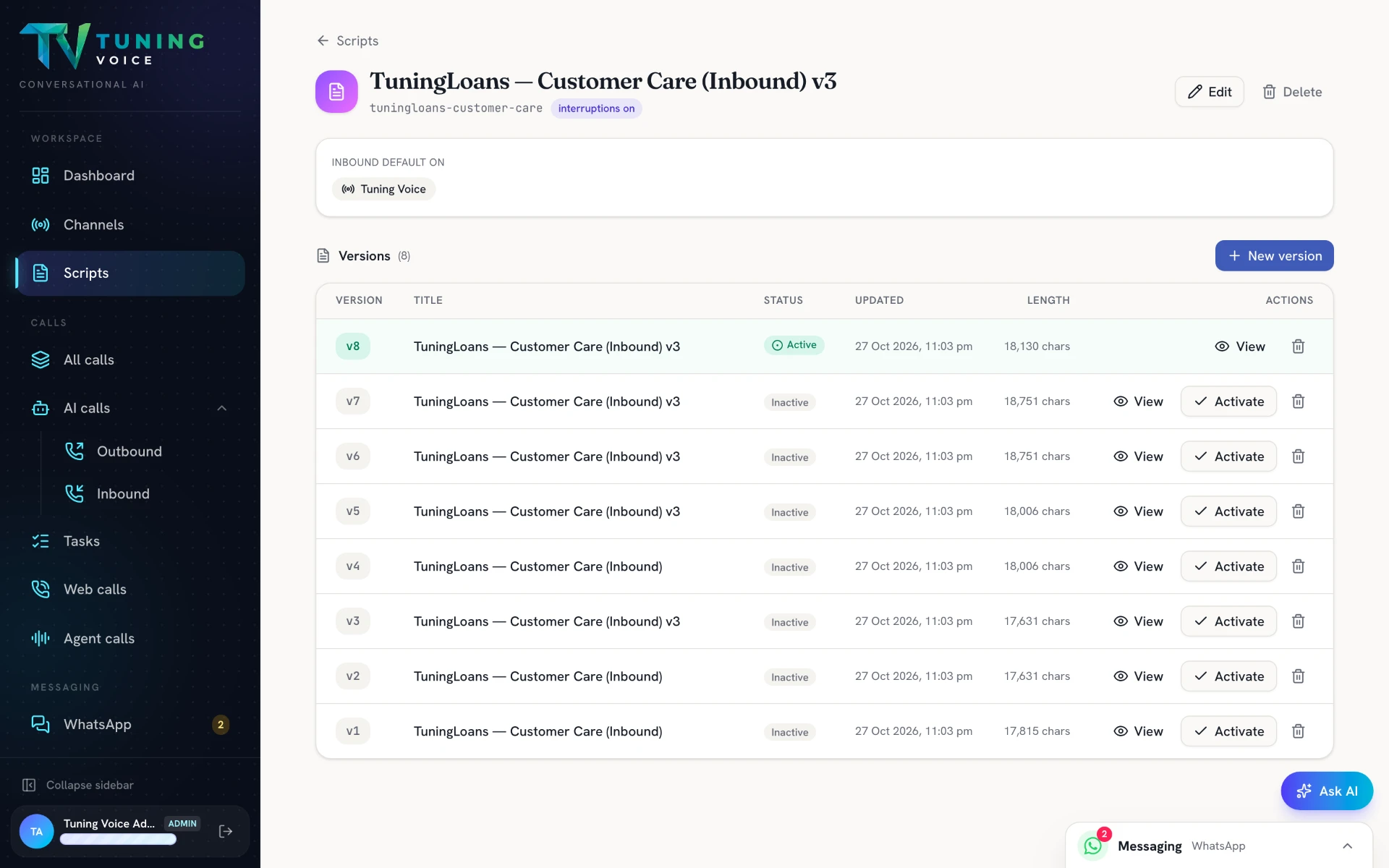
Every script version, under control
Review previous versions, see which is active and activate the version you want to run.
- 06
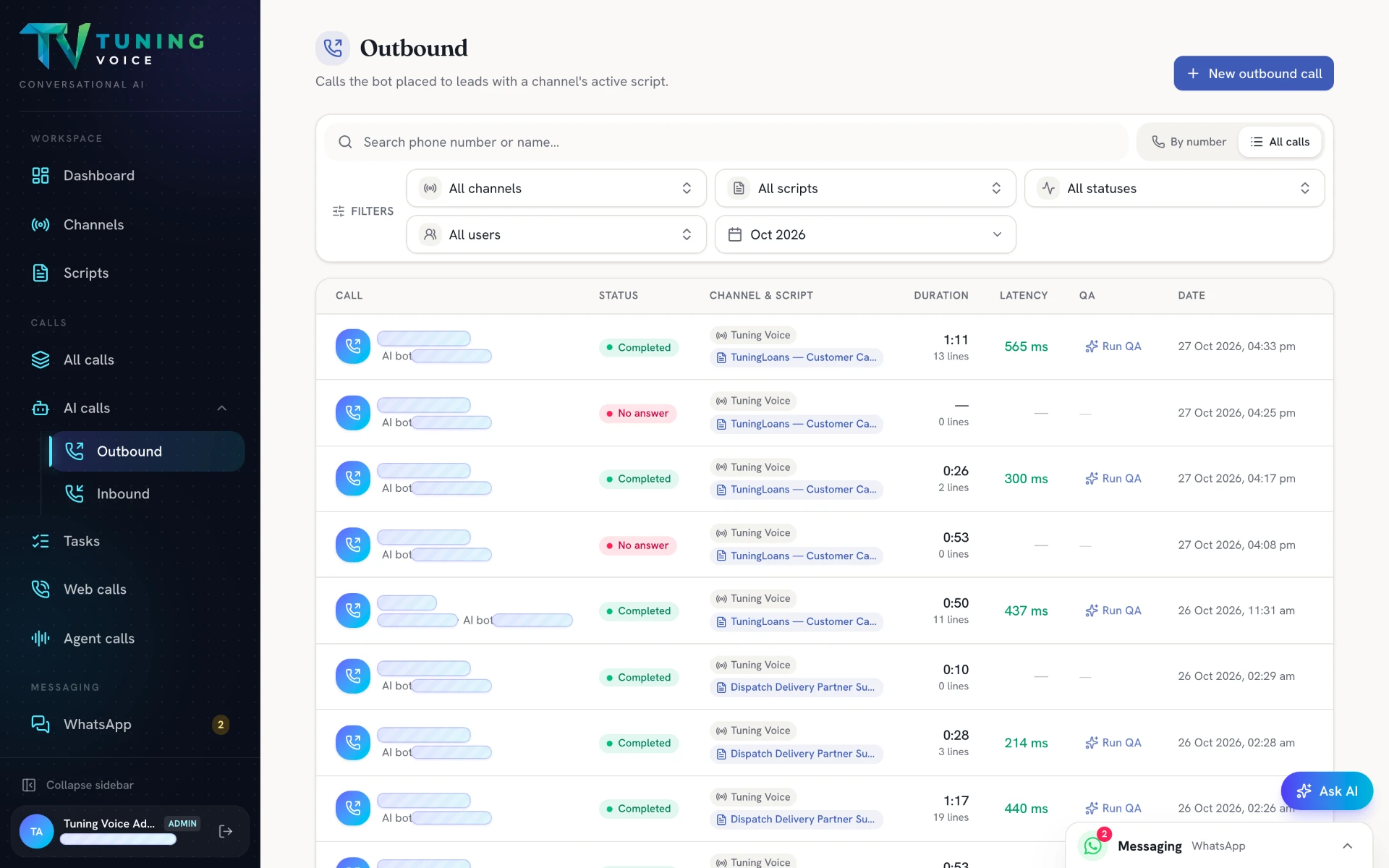
Outbound calls at a glance
Review call status, scripts, duration, latency and quality checks from one list.
Everything in it.
- Inbound, outbound and test calls from the browser
- Campaigns from a list, with one-click call-back of unconnected numbers
- Mid-call language switching
- Natural interruptions
- Instant acknowledgements ("जी", "ठीक है")
- Live transfer to up to five named people or teams, each with its own "when to transfer" rule
- Script templates: inbound queries, lead verification, outbound sales, support, reminders
- Voice per language, speaking speed and a pronunciation list for names and places
- Custom API tools: look up or update your CRM during the call (up to 8 per script)
- Every call recorded, transcribed and summarised
- Runs on your numbers through supported telephony providers
Questions about this.
Can it transfer to a human?
Yes. It hands the caller to up to five named people or teams mid-call, each with its own rule for when to transfer. Your agent sees the conversation so far.
Can it use my CRM data during the call?
Yes. Custom API tools let the agent look up or update your CRM while it talks — up to eight per script. Our engineers connect them during setup.
Can I choose the voice?
Yes. Pick a voice per language, set the speaking speed and add a pronunciation list for names and places.