

Build your whole operation on one canvas.
Connect AI calls, agent calls, WhatsApp, email, AI steps and your CRM — then let Tuning Voice run it for every lead.
Three things it does well.
- 1
Start
CSV intake, webhook intake, or a call placed or received.
- 2
Act
AI agent call, agent call, email, WhatsApp or any HTTP API.
- 3
Understand
AI extraction, summary and disposition, Auto QA.
- 4
Decide
Only if a value passes, or wait, then continue.
Build a flow. Run a test.
Pick the steps you need, or start from an example. Switch Off → Test → Live and run it to watch a lead go through every step.
Add a step
Start
Act
AI
Logic
- 1A new lead arrivesStart · Webhook intake
- 2Our AI calls, in their languageAct · AI agent call
- 3Key details are noted downAI · AI extraction
- 4Continue only if it mattersLogic · Only if
- 5Your team member callsAct · Agent call
- 6Your CRM is updatedAct · HTTP API
Three flows teams start with.
Pick one and watch a lead go through it. Click any step to see what it does.
Your website or CRM sends the new lead in.
- Waiting for the trigger…
Real product screens.
One screen at a time — scroll on desktop, swipe on your phone.
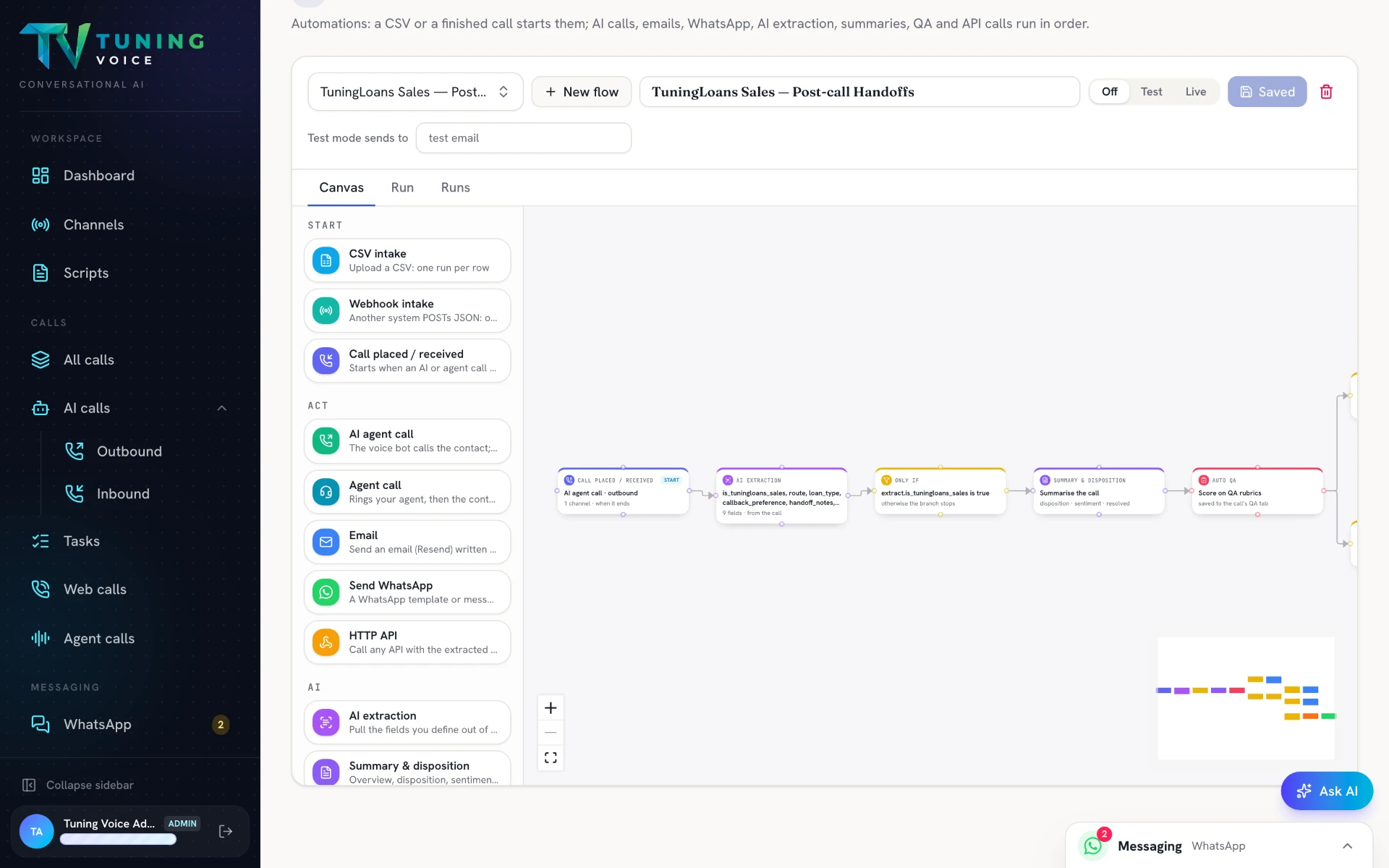
- 01
Start, extract, summarise and score
Follow a call through structured data extraction, an AI summary and a quality review.
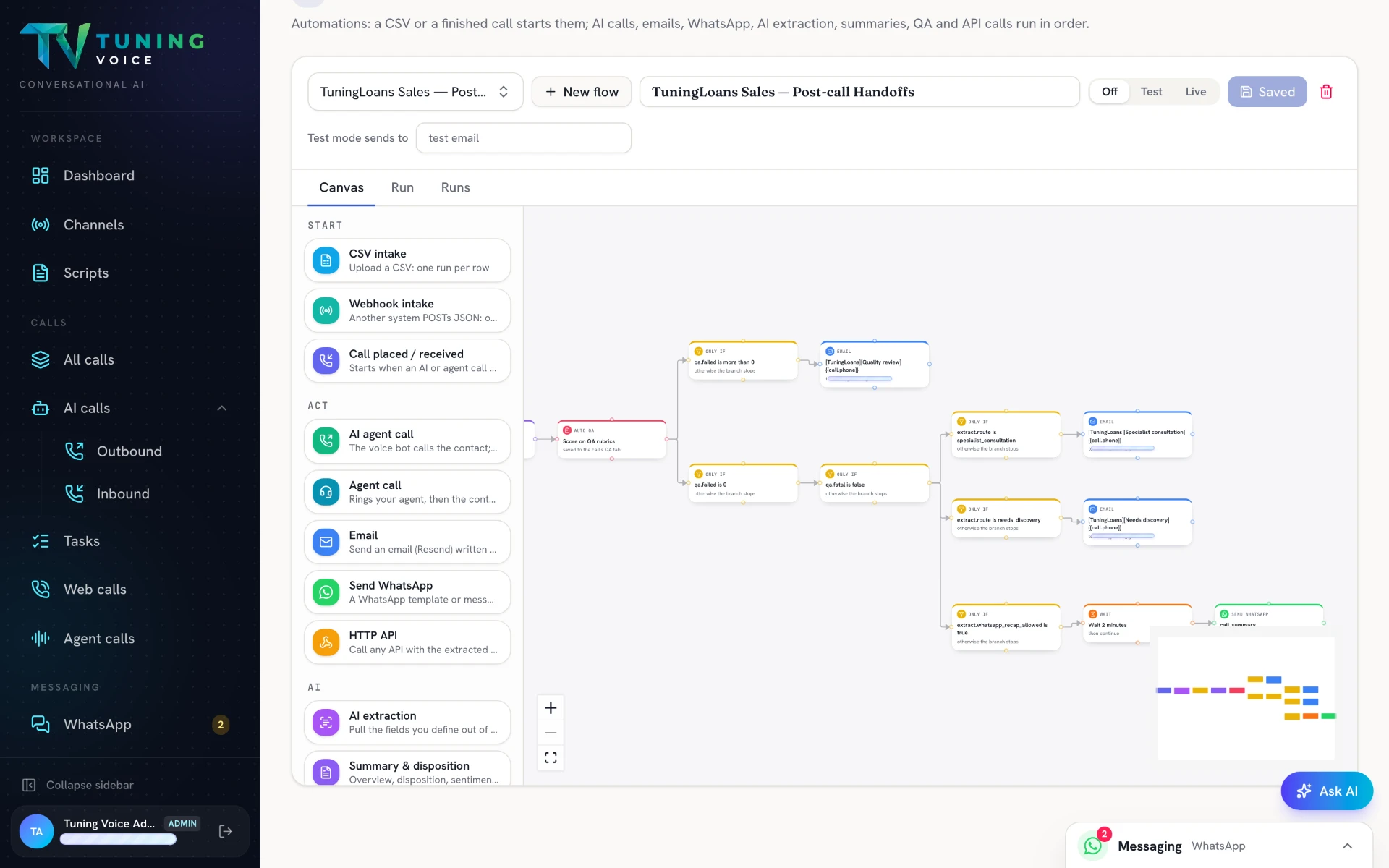
- 02
Different outcomes. Different next steps.
Branch the flow to send the right message or trigger the right action for each outcome.
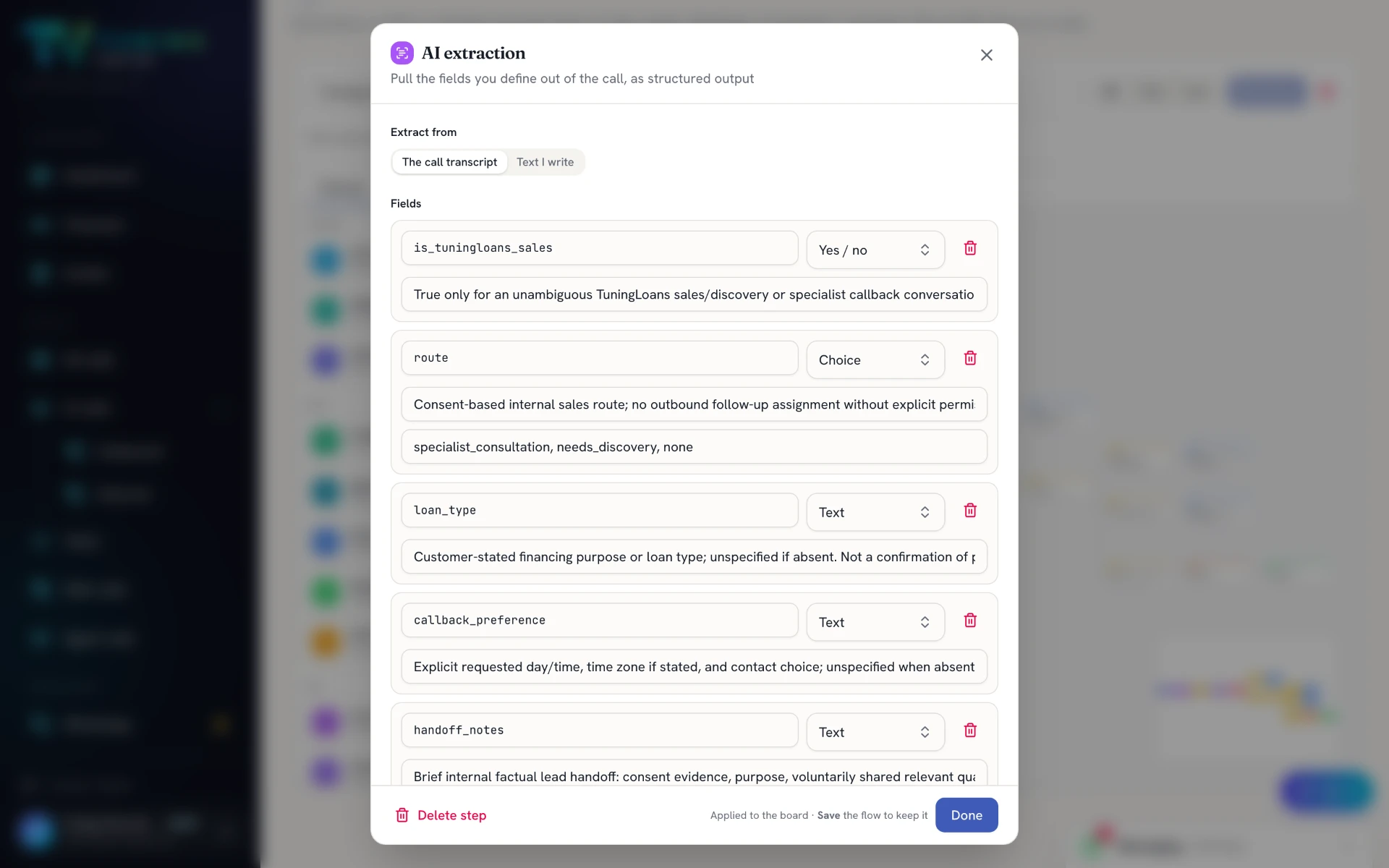
- 03
Turn conversations into structured fields
Define the facts, choices and callback preferences AI should extract from the transcript.
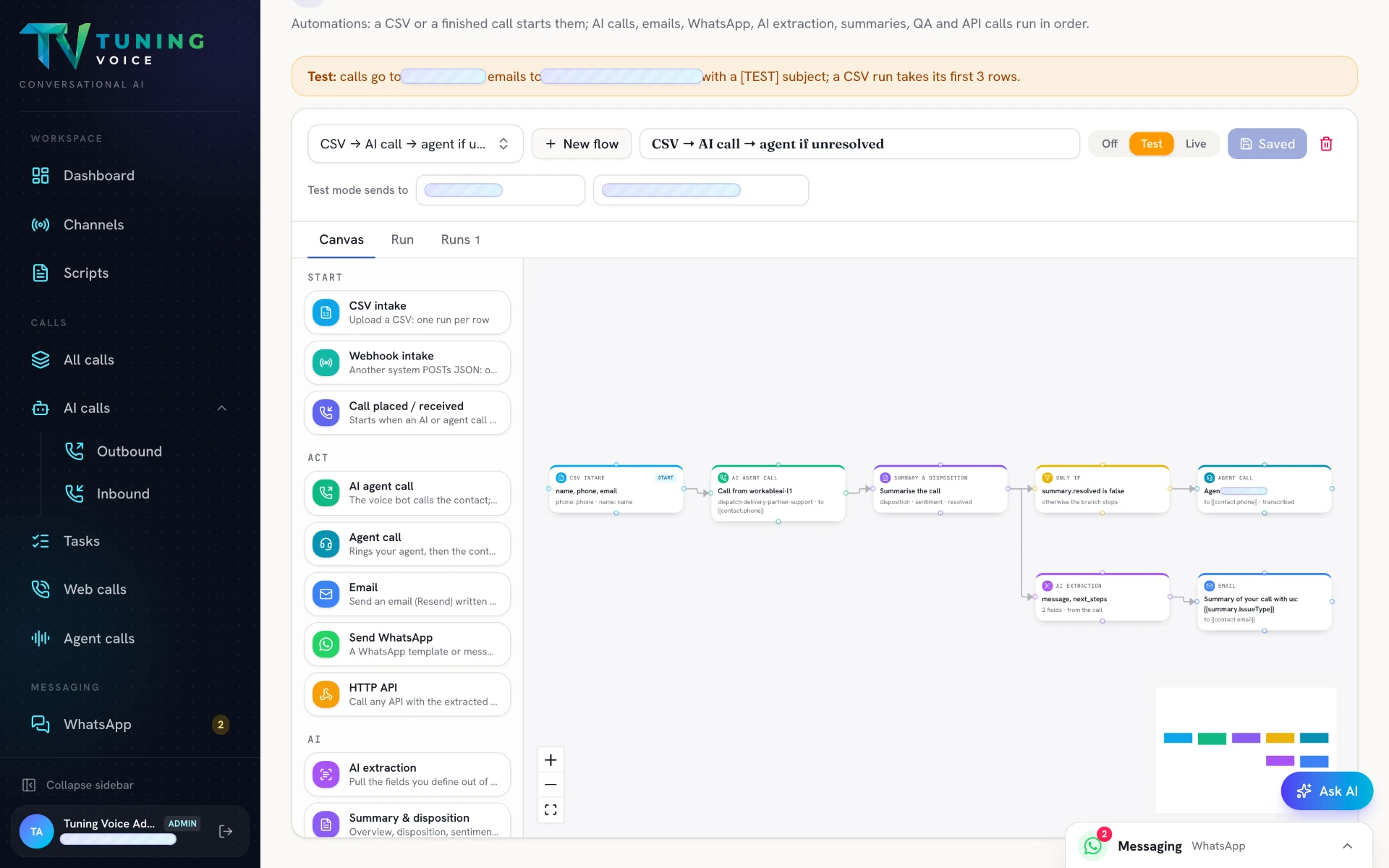
- 04
Bring in a human when the call is unresolved
Connect an AI call to a conditional agent call, with a parallel summary and email follow-up.
- 05
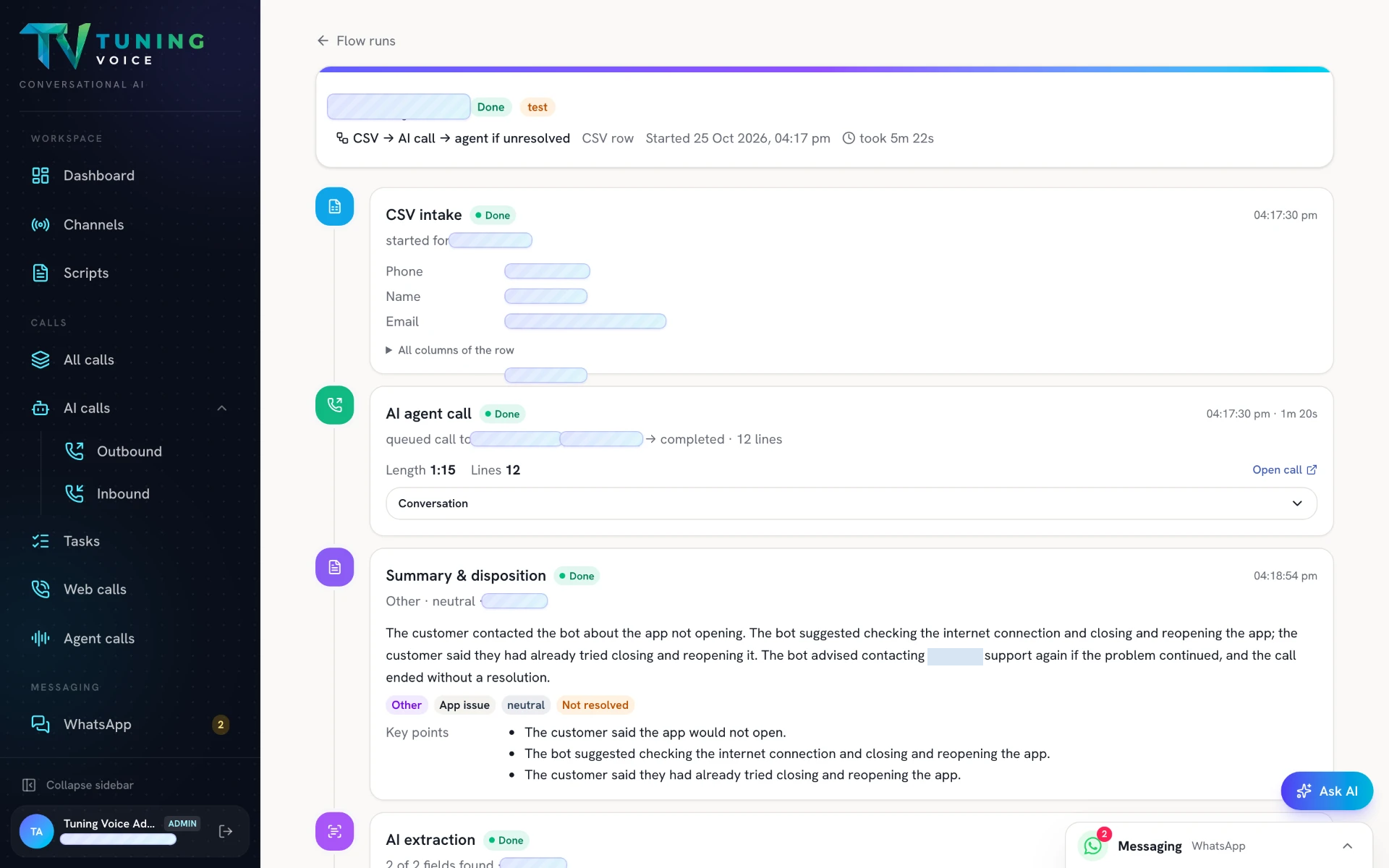
Trace a flow run, step by step
Review intake, call results, summaries and timestamps in the execution history.
- 06
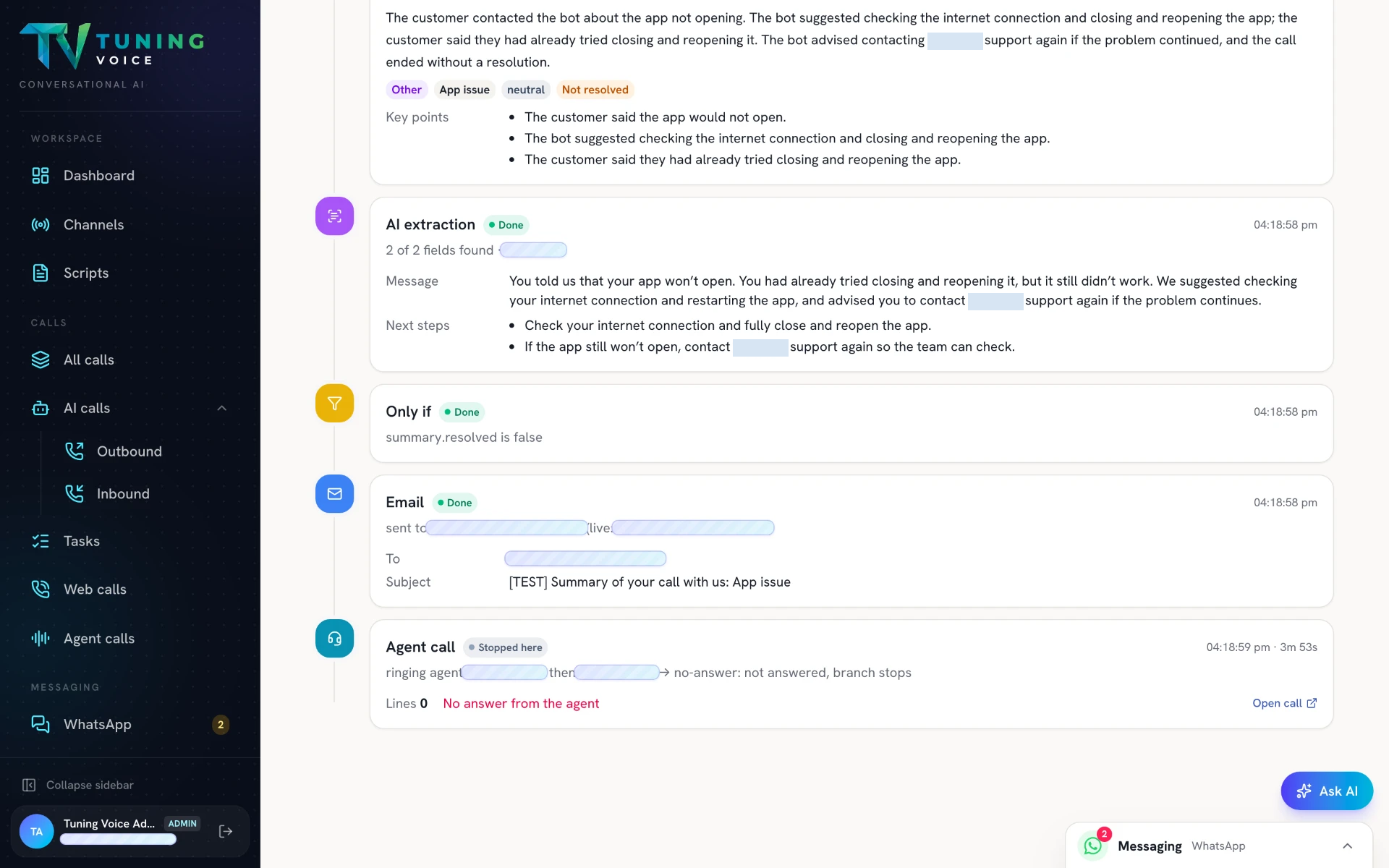
See exactly where a handoff stopped
Inspect extraction, conditions and email results, plus an agent-call attempt that stopped because the agent did not answer.
Everything in it.
- CSV intake — one run per row
- Webhook intake — another system posts JSON
- Call placed / received — starts when an AI or agent call ends
- AI agent call — the voice bot calls the contact
- Agent call — rings your agent, then the contact
- Send WhatsApp — template or message
- HTTP API — call any API with the extracted data
- AI extraction — pull out the fields you define
- Summary & disposition — overview, disposition, sentiment
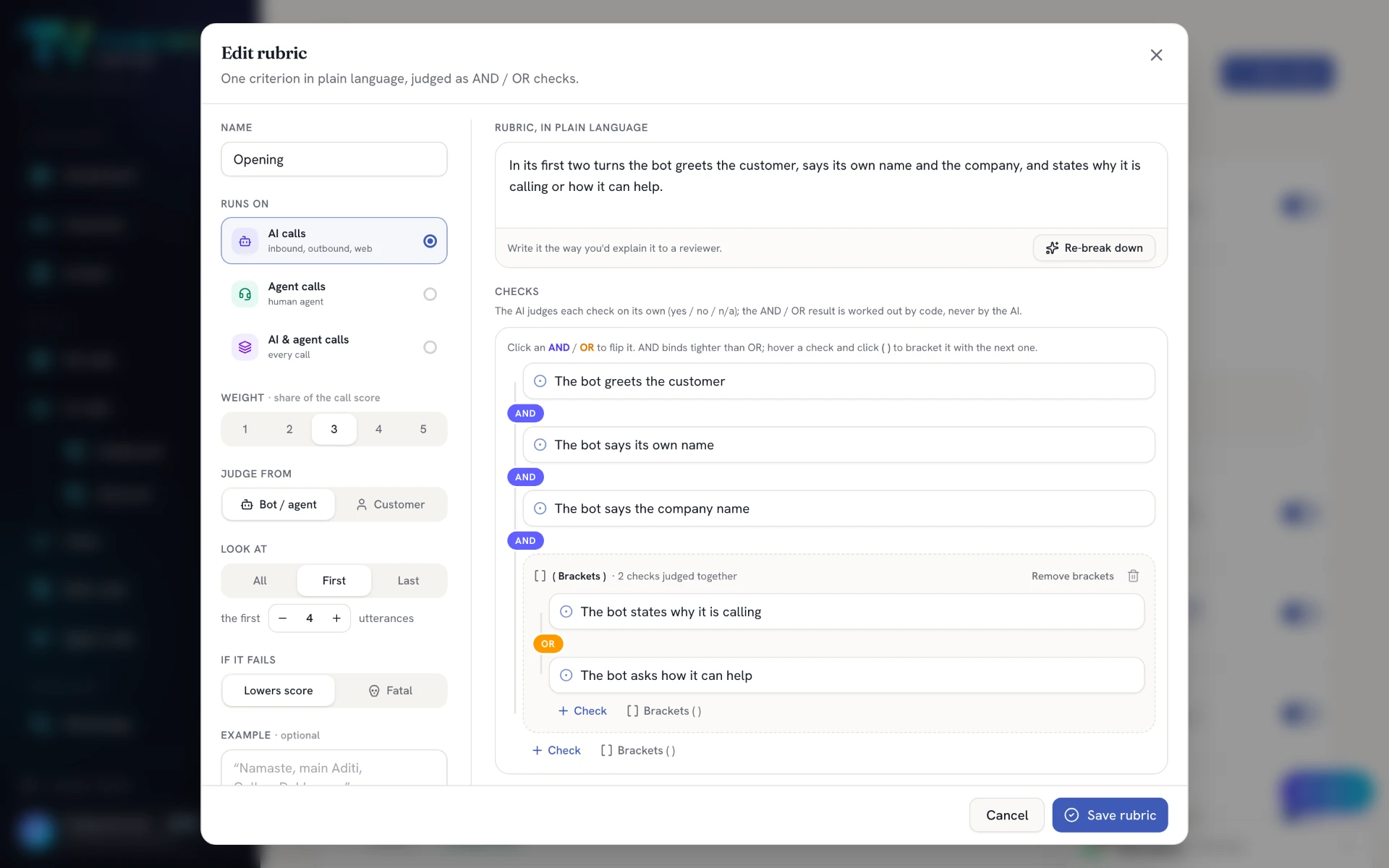
- Auto QA — score the call on your rubrics
- Only if — continue only when a value passes
- Wait — pause, then continue
- Off / Test / Live modes and run history
Questions about this.
Does it connect to my CRM?
Yes. Webhooks bring leads in and HTTP API steps write results back. Our engineers connect it during setup.
Can I test a flow safely?
Yes. Test mode calls your number and emails you first. Switch it live when you are ready.
Can I see what happened to one lead?
Yes. Every run is traced step by step.